
(We are always looking for new, great tutorials to put here. Got an idea on one we missed, whether it is in pencil or CG? Keep reading to see how to submit it to us for possible review and addition to this page!)
|
How to Draw Manga
Relative Difficulty: Beginner |
 |
|
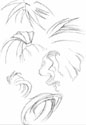
One of the most well known sources for books and supplies on drawing
manga, How to Draw Manga also provides tutorials with helpful tips for
free on their site. Get advice on hair, clothing and folds, faces,
female figures and some coloring tutorials for paint Shop Pro and
Photoshop. Plus, while you're there, you can pick up some supplies to
get yourself on your way to drawing Manga. | |
|
OMU Art Class
Relative Difficulty: Beginner |
 |
|
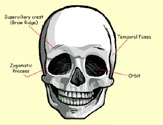
Get started with the anime/manga style head and hair features with this
tutorial.You're first given a technical approach before going on to a
more stylized look. It's nicely laid out and well linked for a nicely
flowing presentation. This site caters to beginners and newbies. | |
|
Manga Tutorials
Relative Difficulty: Intermediate |
 |
|
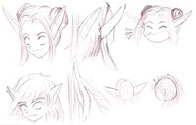
This site contains over 80 manga drawing tutorials and is extremely
comprehensive. The section on gear is especially helpful as well as
tutorials on how to draw the male figure (which is somewhat rare.) It
covers everything from the basic figure to CG coloring. This is one of
the most detailed and helpful sites available for free. It's rather
extensive. You're sure to find tips on what you're looking for here. | |
|
Polykarbon
Relative Difficulty: Advanced |
 |
|
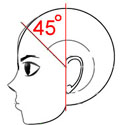
These tutorials are fantastic. The style that everything is presented in
is very simplistic, making it very easy to apply what you learn without
being heavily influenced by the artist. It's simple to adapt them to
your own style. Specifically, the hands tutorials are great. Also,
there's a rare guide on how to draw feet. This includes the human foot
and footwear. Be sure to give the Mech guide a look as well. The
Photoshop tips are wonderful as give. This this site some of your time
and you won't be disappointed. | |
|
123-Bishoujo!
Relative Difficulty: Beginner |
 |
|
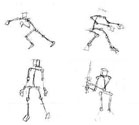
This is a nice little site with some helpful hints for beginners. I
recommend you take some time to look at the Figure Drawing Link. It's
deep and detailed, definitely the best tutorial offered on this site.
You'll get a lot out of it. It's very nicely laid out and professional
looking. The features section is worth a peek as well, especially if
you're just getting started. | |
|
Manga Punk
Relative Difficulty: Intermediate |
 |
|
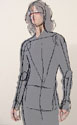
This site demonstrates several approaches to achieving the same result.
Many examples are created from stock photos of people to help the artist
keep proportion and give an extra hand if you have difficulty
(especially with the male figure.) Additionally, there is a section on
using the selection took in Photoshop. I found this to be especially
beneficial and is worth looking at if you've ever found this took to be
obnoxious. | |
|
Copic Marker
Relative Difficulty: Beginner |
|
|
Copic Marker offers tutorials on using their markers with tips on liners
to what paper to use. Copics are the professional makers of choice for
those in the field. This tutorial answers many questions you might have
from how to blend colors to refilling your markers. There are quicktime
movies available for hands on instructions. | |
|
Baka Neko
Relative Difficulty: Intermediate |
 |
|
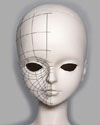
Baka Neko is a great site, especially if you're interested in 3d
modeling for your characters. There's a great getting started tutorial
for those of you who want a little nudge in the right direction. There
are suggestions for what programs to use as well as available freeware.
The steps are easy to follow and the explanations simple and concise.
The layout is nice and clean. The other how to draw tutorials are
excellent as well. I recommend the adolescent body guide as you don't
see too many of those around. If you're stuck, it might be the key. | |
|
Chaos Creations
Relative Difficulty: Intermediate |
 |
|
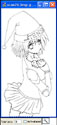
If you're already set with your artwork and you need a hand moving into
CG, Chaos Creations is one of the places you can go to get started. It's
a fantastic guide for taking your line art and bringing it into
Photoshop. Learn step by step through excellent screen caps the process
of turning your art into beautiful CG. Highly recommended for any artist
from beginner to advanced. Learn something helpful. | |
|
Manga Revolution
Relative Difficulty: Beginner |
|
| Still can't find that one tutorial to help you out? Manga Revolution hosts a webring of several tutorials from Photoshop, to Color Theory to Drawing Plushies. Browse through. Most of the tutorials are very nice, high quality demonstrations from artists who know what they're doing. If you've found yourself in a tight spot, one of these tutorials might be the thing to get you back | |


{ 0 komentar... Views All / Send Comment! }
Post a Comment